When organizing adidas hat candidates before buying, the real challenge isn't copying names into a table—it's keeping color, specs, images, product pages, and verification status in a single traceable record. fashionreps is great for discovering products, browsing brands and categories, viewing product pages, and checking QC content; Google Sheets is better for consolidating candidates, filtering, adding notes, and collaborati
Editor score 4.2 / 5
When organizing adidas hat candidates before buying, the real challenge isn't copying names into a table—it's keeping color, specs, images, product pages, and verification status in a single traceable record. fashionreps is great for discovering products, browsing brands and categories, viewing product pages, and checking QC content; Google Sheets is better for consolidating candidates, filtering, adding notes, and collaborative review. Combining them reduces misjudgments from duplicate entries and broken links. 🧭
This article focuses on one task: organizing adidas hat candidates found on fashionreps into a filterable color and link list. After reading, you should be able to collect candidates, fill in fields, verify links, and filter before purchase. It does not apply to order decisions requiring confirmed stock, price, size, or shipping costs, as these must be re-verified on the corresponding product pages and shopping agent pages.
Clarifying the Organization Task and Evidence Boundaries for adidas Hat Candidates
First, limit the goal to "building a candidate list," not directly judging which one is best. Each row represents a candidate product or style that can be independently opened and verified. If the same product has multiple colors, decide whether to split into multiple rows based on whether the page separately displays colors, images, or specs; do not infer different stock solely from color names.
It's recommended to classify each record into three statuses:
- Confirmed: Product name, color or colorway, product page URL, and visible page images all correspond to the source page.
- Pending Evidence: Product page found, but color, specs, images, or update time lack clear basis.
- Not Inferable: Only search terms, thumbnails, review descriptions, or mentions on other pages, without proof that the color or link corresponds to a specific product.
Price, stock, seller, material, size, shipping, taxes, and return policies are all volatile information. Even if the list is only for filtering, record the verification date and destination country; do not write a one-time page view result as a long-term purchase conclusion.
Verifying the Entrance, Fields, and Visible Directory of fashionreps' Site-Style Spreadsheet
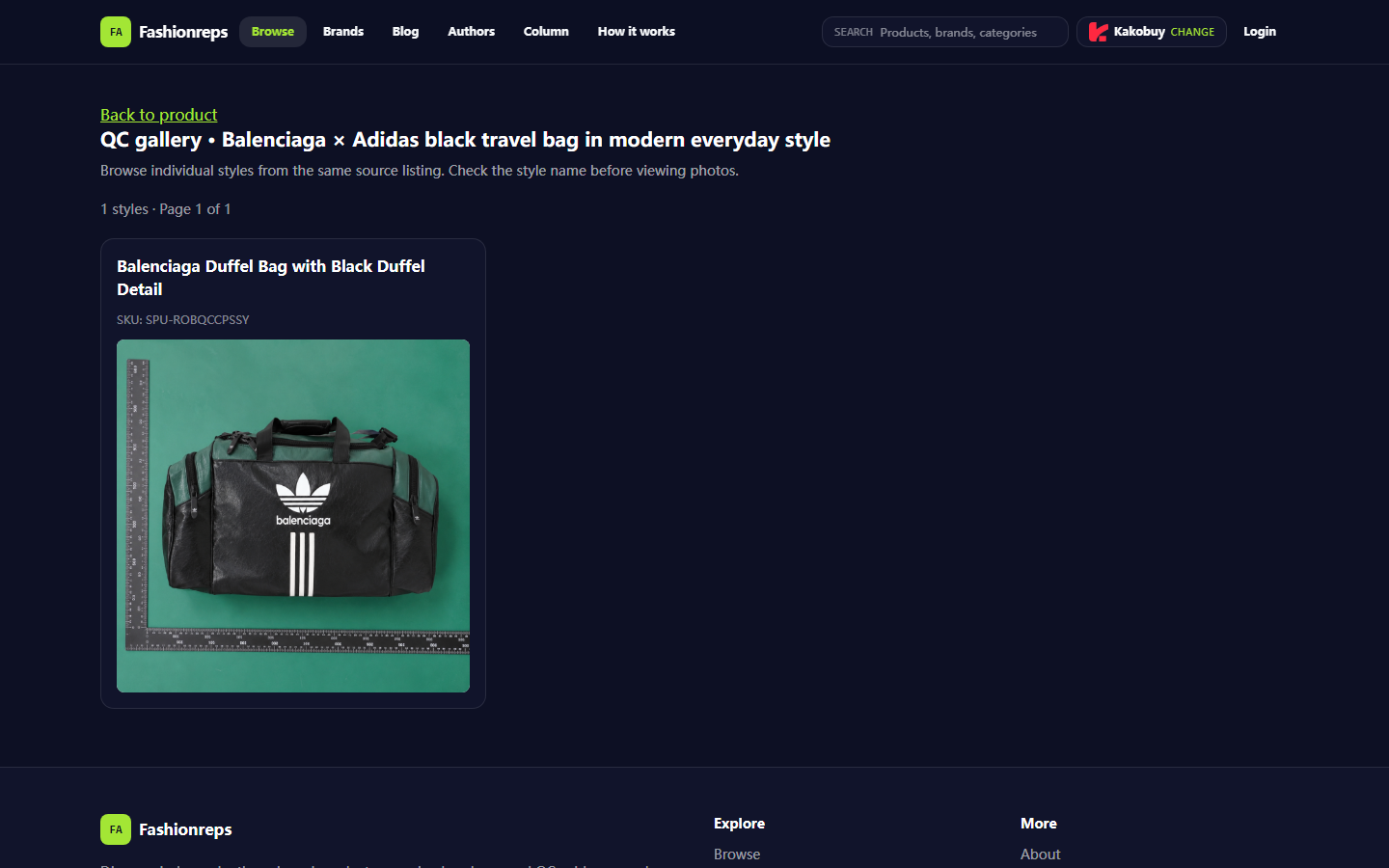
According to current page verification records, fashionreps' visible navigation includes Browse, Brands, Blog, Authors, Column, and How it works, and provides a search area. Product pages may also offer product details, source styles, or QC galleries. The depth of information displayed may vary by page, so rely on the current visible content of the specific page.

The image shows a page-style browsing scenario for products and QC content. It's suitable for first confirming product titles, style relationships, and image entries, but you cannot automatically assume that every product has the same fields just because of the navigation structure. For adidas hat candidates, locating pages from brand or search entries and then checking colors, images, and links item by item is more reliable than directly copying search results.
The division of labor between product catalog and spreadsheet can be understood as:
- Site-style catalog is for discovery and context viewing, including product names, categories, images, and possible QC pages.
- Google Sheets is for unified fields, filtering conditions, verification status, and collaborative notes.
- Product pages provide final evidence; colors and links in the list should be checked against product pages as much as possible.
- Shopping agent pages are for subsequent ordering, price, stock, and delivery conditions; the list cannot replace real-time information from agent pages.
Discovering adidas Hat Candidates by Brand, Category, and Keywords
When discovering candidates, start by finding adidas from the brand entry, then use secondary searches with terms like hat, cap, bucket hat, trucker, or specific style names. Keywords are only discovery tools, not proof of product existence. Search results containing hat-related words do not guarantee that the page has clear color options or valid product links.
For each discovered candidate, it's recommended to process in the following order:
- Open the product detail page and confirm the title is indeed hat-related.
- Check if the page has clear product images, style names, or identifiable product information.
- Record the color or colorway as written on the page; do not rewrite the main color in the image into an official color name.
- Check if the link still opens, or if it redirects to another product, empty page, tag page, or error page.
- Save the verification date and mark the information as confirmed, pending evidence, or not inferable.
- Only after completing the above checks, add the record to the candidate list.
If the page only shows one image without color description, record "page does not explicitly state color" and use the image as auxiliary evidence. Do not infer specific colors like black, navy, or off-white based on lighting, background, or screen display.
Setting Up Color, Specs, Image, and Link Columns in Google Sheets
The value of Google Sheets is turning scattered product page information into a filterable worksheet. Fields should not be too few, otherwise you can't determine record reliability later; nor should you start with many columns that cannot be filled.
| Field | Recommended Content | Evidence Requirement |
|---|---|---|
| Candidate ID | Internal ID for discussion and dedup | Unique per row |
| Product Title | Visible page title or name close to original | From product page |
| Brand | adidas or brand actually displayed on page | Page-visible info |
| Category | Hat, baseball cap, bucket hat, etc. | Supported by page title, category, or images |
| Color or Colorway | Explicitly stated color on page; if none, fill "not specified" | Do not guess from images |
| Specs | Size, adjustable structure, style, etc. | Only fill if page has clear description |
| Image URL or Notes | Main image, detail image, or QC image description | Image must correspond to candidate |
| Product Page URL | Currently accessible page URL | Verify title after opening |
| Page Update Time | Update time shown on page; leave blank if none | Do not estimate |
| Verification Date | Actual check date, e.g., 2026-10-18 | Use actual date |
| Evidence Status | Confirmed, Pending Evidence, Not Inferable | Based on check results |
| Notes | Redirects, duplicates, missing images, or reasons for review | Write specific issues |
For colors, it's best to use consistent wording within cells. For example, if the page shows both "black" and a Chinese term for black, you can keep the original and note the unified English term in the notes; do not merge multiple colors into "black and white multicolor" unless the page explicitly shows that.
Image URLs should correspond to product pages. If you cannot confirm the image belongs to the product, do not include it just because the filename contains adidas or hat. Images help verification but cannot replace product title, color description, and accessible link.
Comparing Product Card Browsing, Spreadsheet Filtering, and Duplicate Handling
Product cards are good for quickly browsing visual information; spreadsheets are good for precise filtering. The former helps you discover candidates, the latter helps you decide which records are worth opening again.
- When you need to see overall style, brim shape, or page context, prefer returning to product cards or product pages.
- When you need to find all black candidates, records lacking color evidence, or recently verified pages, use Google Sheets filtering.
- When collaborating, use notes to record "checked content" and "to-check content"; don't just write "seen."
- When handling duplicates, compare product page URLs first, then titles, images, and style information; similar titles do not mean the same product.
Duplicate records can be classified into three types: same link entered multiple times, same style appearing from different entries, and same name but different pages. The first can usually be merged; the second should keep one main record and note the source entry; the third cannot be deleted based only on title; you must open the pages to verify.
Filter conditions can start from three dimensions:
- Evidence status: prioritize confirmed, then process pending evidence.
- Color: filter target colors while keeping unspecified records for evidence completion.
- Link status: distinguish accessible, abnormal redirect, missing page, and pending review.
Do not use spreadsheet sorting results to replace product judgment. Sorting only changes the viewing order; it does not prove lower price, better quality, or more stable stock.
Verifying Product Pages, Link Status, and Page Update Times
Every time you prepare to pass candidates to the next filtering step, reopen the product page. At least check the following:
- Whether the page is still accessible.
- Whether the page title matches the table title.
- Whether the page still shows adidas hat-related content.
- Whether the color or colorway still has clear text or clear page options.
- Whether images still load and correspond to the current product.
- Whether the page has an update time, and whether it is mistakenly recorded as product publish date.
- Whether the link redirects to another style, agent entry, or generic catalog.
A link opening does not mean product information is complete; a page having images does not mean they reflect current stock. If the page redirects to a different product, mark the original record as pending review instead of updating it to the new product. If the page cannot open, keep the original link and failure date to prevent other collaborators from re-searching the same broken record.
For volatile information, it's recommended to distinguish "page last displayed time" and "personal verification time" in the spreadsheet. The former comes from the page, the latter from actual checking. If neither is available, do not create a seemingly precise date.
Distinguishing Confirmed Information, Pending Evidence, and Non-Inferable Content
The reliability of the list depends on separating facts from judgments. The following can be considered confirmed information: visible page titles, explicitly stated colors, currently accessible product page URLs, images displayed on the page, and actual check dates.
The following are usually only pending evidence: colors guessed from images, styles guessed from similar titles, current stock guessed from old screenshots, materials guessed from QC images, and shipping or taxes guessed from agent entries.
The following should not be written in confirmed columns: authenticity guarantee, definite stock, stable quality, best buy, suitable for everyone, or guaranteed customs clearance. They lack current page evidence and may mislead purchase decisions. ⚠️
If you must keep editorial judgments, put them in a separate "Filter Notes" column and use conditional expressions, e.g., "Page color evidence fairly complete, still need to confirm stock before ordering." Do not disguise editorial judgments as product facts.
Using a Combined Workflow for Pre-Purchase Filtering and Next Actions
A practical process is "site discovery, page verification, spreadsheet organization, return to page review." First discover candidates on fashionreps, then fill evidence into Google Sheets; after initial filtering, reopen top-ranked product pages to confirm titles, colors, images, and links have not changed.
Recommended minimal execution order:
- Create an empty list with fixed fields.
- Discover candidates from brand, category, and keyword entries.
- Open each candidate's product page individually and record evidence.
- Use status column to separate confirmed, pending evidence, and not inferable.
- Use filters to find target colors, valid links, and missing fields.
- Delete clearly duplicate records but keep necessary source notes.
- Conduct a second page verification for candidates ready for purchase decisions.
- Separately confirm price, stock, delivery, taxes, and after-sales conditions on shopping agent pages.
The final list should not answer "which hat is definitely best," but three actionable questions: which candidates have complete color evidence, which links are currently accessible, and which records still need additional verification before purchase. ✅
If you just want to quickly collect visual candidates, site-style catalog is easier; if you need to compare colors, evidence status, and link conditions simultaneously, Google Sheets is more suitable; if you need multi-person collaborative review, combining both is most reliable. Do not treat old spreadsheet records as current stock, and do not fill in colors, materials, prices, or purchase results without page evidence. 🔎
Nadia Vermeer is Editor-in-Chief at Kakobuytop, running the testing desk, writing agent workflow guides and signing off every score. Nadia personally opens roughly half the parcels that reach the desk, while running its seven-step sequence and maintaining each parcel's master file. Order timestamps, agent replies, QC images, line choice, tracking logs, delivered weight and the score sheet form that record. Every received item is compared with full-size warehouse QC photos before scoring; listing photographs alone do not qualify a product for a score, and articles are held until the parcel arrives.