When a page simultaneously shows colors, sizes, images, and ordering options, the most dangerous thing isn't a price change—it's mistaking different variants for the same item. Currently, Fashionreps' FRED brand page shows 1 product, with the title stating there are three metal finishes and two wrist sizes; the page also shows a reference price of $29.78, previously $32.52. Based solely on the brand page summary, it's impossible to confirm which specific ordering opt
Editor score 4.2 / 5
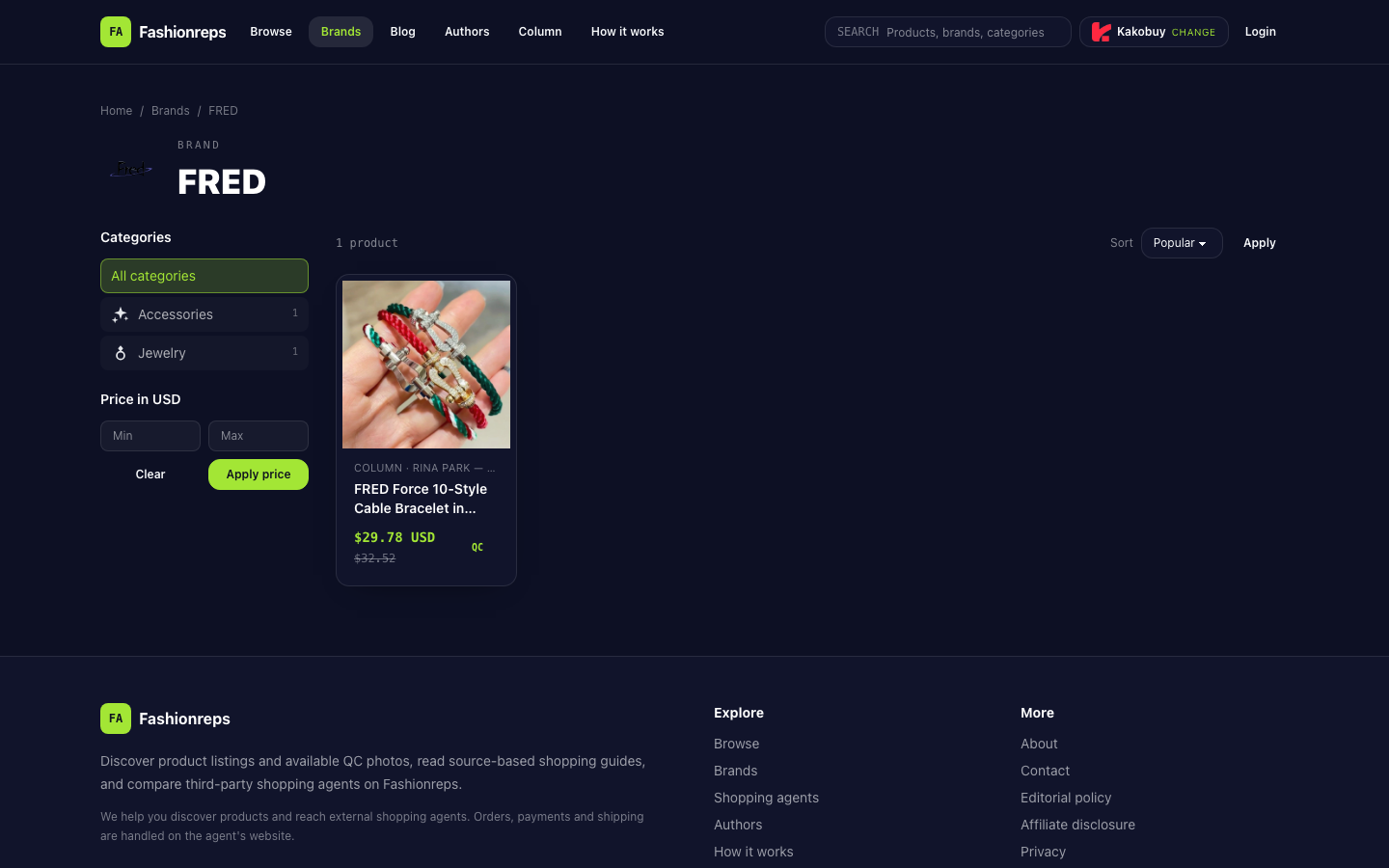
When a page simultaneously shows colors, sizes, images, and ordering options, the most dangerous thing isn't a price change—it's mistaking different variants for the same item. Currently, Fashionreps' FRED brand page shows 1 product, with the title stating there are three metal finishes and two wrist sizes; the page also shows a reference price of $29.78, previously $32.52. Based solely on the brand page summary, it's impossible to confirm which specific ordering option corresponds to each color and size, so you should not pay directly based on the image or title.

First determine what kind of mismatch it is
Start by categorizing the page issues into three types to avoid mixing different problems:
- Only the image shows the color or metal finish, but the ordering options don't have clear names.
- The sizes are written as two wrist sizes, but the page doesn't explain the measurement range for each size.
- The product card, detail page, and external ordering page show inconsistent titles, images, or options.
The brand page currently only supports the fact that "the product is marked with three metal finishes and two wrist sizes," and cannot support judgments about specific color names, size values, stock status, shipping, or final purchase availability.
Record four sets of information before ordering
After opening the FRED brand page, don't click to pay first. Save the following information:
- The complete product title, along with the reference price and historical reference price shown on the page.
- The product main image, detail images, and any metal colors or finishes recognizable in the images.
- All sizes, colors, or other variant options listed on the page, recorded item by item according to the original page text.
- After clicking the product details, the actual ordering options that appear, the redirect URL, and the page update time.
When recording, distinguish between "explicitly stated on the page" and "inferred from the image." For example, if the image looks gold, it should only be recorded as "the image appears gold," not directly rewritten as a color name that hasn't been confirmed by the page.
Compare product information layer by layer
It's recommended to verify in the following order:
- First compare the brand page product card and detail page title to confirm they are the same product.
- Then compare the detail page images and variant list to confirm whether each image has a corresponding color or metal finish option.
- Compare the original text of the size options to confirm whether they describe wrist size, bracelet length, or seller-defined size names.
- After entering the external shopping agent page, re-check the title, images, sizes, and colors; don't assume the external page will fully inherit the content from Fashionreps.
- If an option appears on the product card but disappears on the detail page or ordering page, mark it as "unconfirmed" rather than assuming it's still purchasable.
Fashionreps page states that the product link will redirect to the user-selected shopping agent; orders, payments, and logistics are handled by the agent website. Therefore, the display information on the Fashionreps page and the actual ordering options on the agent page need to be verified separately.
How to handle unclear sizes
Don't choose a size based solely on "two wrist sizes." First measure the wrist circumference at the actual wearing position and keep a record of the measurement method and result. Then check whether the detail page provides the corresponding length, range, or seller's instructions.
If the page only says small and large without specific size values and doesn't clearly explain the measurement method, it's impossible to determine which one fits based on existing information alone. In this case, you should confirm with the shopping agent or seller:
- The actual length or wrist circumference range corresponding to each of the two options.
- Whether the size is the finished bracelet length or the recommended wearer's wrist circumference.
- Whether the measurement includes the clasp, end parts, or adjustable structure.
- Whether a size exchange is possible if the wrong size is chosen, and who is responsible for the related conditions.
Until you get a clear reply, don't treat "large" or "small" as universal standards, and don't use size experience from other brand bracelets to replace evidence from this page.
How to handle color or metal finish mismatches
If the images show multiple finishes but the text options don't correspond one-to-one, first save each image and its position, then confirm the specific variant with the agent. Questions to confirm include:
- Are the different finishes in the images all selectable variants of the same product?
- Do the names of the text options correspond one-to-one with the finishes in the images?
- Is the option order consistent with the image order, or is it just a display order?
- Do the detail page images represent the current variant, or are they general display images?
When there is no one-to-one correspondence, you cannot treat the color in the image as the selected color. Especially don't infer order results based solely on thumbnails, page arrangement order, or other buyers' images.
When to pause operations
It's recommended to pause selection and payment if any of the following situations occur:
- The number of colors or metal finishes doesn't match the number of ordering options.
- Sizes only have names without actual length, wrist circumference range, or measurement instructions.
- The product card, detail page, and agent page images are clearly not the same set of information.
- Options are visible on the page, but after clicking, you can't confirm the corresponding image or specification.
- The agent page shows out of stock, invalid, or cannot proceed with ordering.
- The agent or seller has not clearly answered the specific variant correspondence.
Pausing doesn't mean confirming that the product has problems; it means the current evidence is insufficient to support accurate selection. Don't choose the closest color or size just to complete the order.
What to provide when seeking verification from the shopping agent
When contacting the agent, attach the product title, page screenshot, target image, target size, and the contradictions you found. Questions should be as specific as possible, for example: "The page shows three metal finishes, but I can't confirm which ordering option corresponds to image two; please confirm the option name for image two and whether that option is currently available for ordering."
Keep the agent's reply and reply time. If the agent can only confirm that the link exists but cannot confirm the correspondence between images, colors, or sizes, you should still mark the variant as unconfirmed. Because orders, payments, and logistics are handled by the external agent website, the final options before payment should be based on the agent page and its explicit reply.
Conclusion
This FRED bracelet page confirms that the product summary states three metal finishes and two wrist sizes, but existing page evidence is insufficient to confirm specific color names, size values, and their item-by-item correspondence. The correct order is to first record page evidence, then separately check the product detail page and the agent ordering page, and finally confirm with the agent any options that cannot be matched. As long as images, colors, or sizes still cannot be matched one-to-one, you should pause payment and treat the product as pending information rather than a verified purchase recommendation.
Nadia Vermeer is Editor-in-Chief at Kakobuytop, running the testing desk, writing agent workflow guides and signing off every score. Nadia personally opens roughly half the parcels that reach the desk, while running its seven-step sequence and maintaining each parcel's master file. Order timestamps, agent replies, QC images, line choice, tracking logs, delivered weight and the score sheet form that record. Every received item is compared with full-size warehouse QC photos before scoring; listing photographs alone do not qualify a product for a score, and articles are held until the parcel arrives.