First Determine Where the Problem Occurs If a Balenciaga product shows a certain color or size on the product page, but it disappears after adding to cart, entering checkout, or jumping to a shopping platform, don't repeatedly click submit order. This phenomenon may stem from inventory sync, option parameter loss, region or login condition changes, or simply a difference in display scope between the product page and the shopping platform. This arti
Editor score 4.2 / 5
First Determine Where the Problem Occurs
If a Balenciaga product shows a certain color or size on the product page, but it disappears after adding to cart, entering checkout, or jumping to a shopping platform, don't repeatedly click submit order. This phenomenon may stem from inventory sync, option parameter loss, region or login condition changes, or simply a difference in display scope between the product page and the shopping platform.
This article addresses only one issue: product variants that cannot be selected before or after entering checkout. After reading, you should be able to locate whether the variant disappears on the Fashionreps product page, in the cart, on the shopping platform's product page, or during checkout condition checks, and decide whether to continue. This article does not apply to issues after successful payment, order generation, or after the package enters the warehouse.
Fashionreps' page description shows that the on-site Buy button enters the user's selected shopping agent platform; orders, payments, and logistics are handled by the agent platform. Therefore, the colors, sizes, or reference information displayed on the Fashionreps product page should not be directly regarded as a commitment that the agent platform will still have them available at checkout. Verification date: October 13, 2026. 🧭

Record Visible Information on Product Page and Cart
First, go back to the initially opened product page and record the following:
- Product full name or page title
- Product page URL, and the date and time the page was opened
- Currently selected color, size, or other variants
- Inventory prompts, price, and buy button status displayed on the product page
- Whether clicking buy redirects to the shopping agent platform
- Whether the cart retains the product name, image, color, and size
Don't just record the conclusion "can't buy". The most useful evidence is on which page the variant is still visible and after which action it disappeared. For example, the color is still on the Fashionreps product page, but the corresponding color is not available after entering the agent platform; or both color and size can be added to cart, but they are cleared on the checkout page. The troubleshooting direction differs in these two cases.
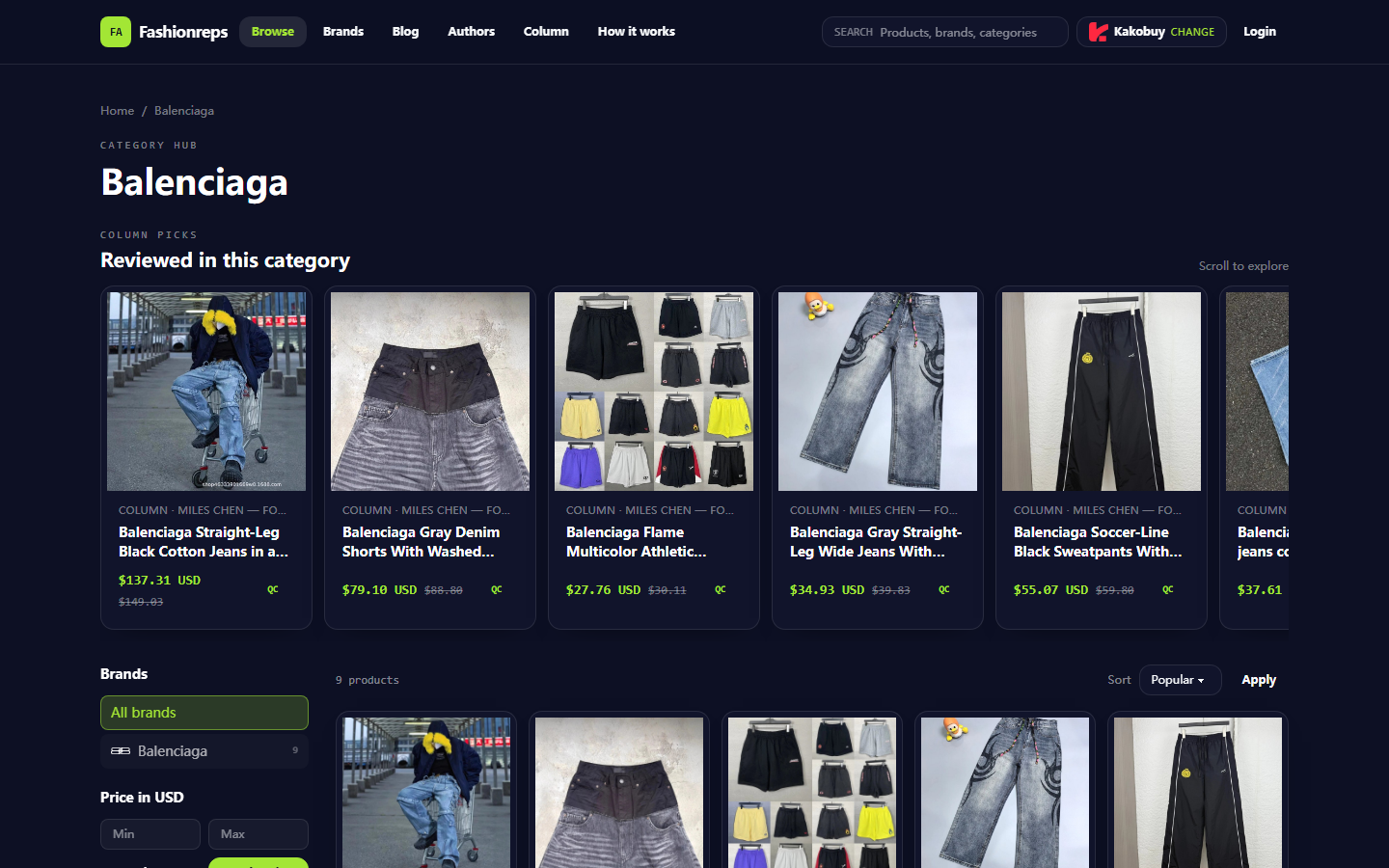
The Balenciaga category page on Fashionreps showed 9 products at the time of verification, with brand filtering, price filtering, and sorting functions. The category page can prove that the product is listed, but it cannot prove that every specific variant still has inventory on the external agent platform. 📋
Check Color, Size, and Inventory Fields
After opening the product page, verify item by item according to the fields actually displayed on the page:
- First, without selecting any variant, confirm the default page loads normally.
- Select only color, and observe whether the size list changes.
- Clear color, then select only size, and observe whether the color list changes.
- Re-select color and size, and confirm the page retains both selections.
- Refresh the page once, and check whether options revert to default or decrease.
- Check for any prompts such as "out of stock", "unavailable", "limited to certain region", or similar.
If selecting a certain color clears the size list, it may be that the color-size combination has no available inventory, or the page options are not synchronized correctly. Do not infer available variants based on image color, product title, or old screenshots. Use the combinations that are clearly displayed and can be added to cart on the current page.
For apparel items, size names may also differ, such as numeric sizes, letter sizes, regional sizes, or seller-defined sizes. Do not treat two similarly named options as the same variant. If the page does not provide a size chart or measurement information, stop the purchase judgment and check the product details instead, rather than substituting common size habits for actual fields. 👕
Check Login, Region, and Checkout Conditions
If the product page options are normal but disappear after entering checkout, check the conditions that may affect the shopping platform display:
- Whether you are logged into the same shopping agent account
- Whether you switched agent platforms or browser profiles
- Whether the shipping country or region has changed
- Whether the cart is from an earlier page session
- Whether the page is opened on a different device or browser
- Whether any blocking, translation, or caching features that affect page scripts are enabled
- Whether the checkout page requires entering the shipping region before showing available options
Fashionreps pages allow users to select a shopping agent platform, and state that the buy button enters the selected agent platform. If you selected one agent platform on-site but then troubleshoot in another agent platform's cart or checkout page, the product options may not be consistent. First confirm the platform shown at the top of the current page, the redirect URL, or the cart's platform, and then continue recording.
Do not resort to repeated refreshing, consecutive clicking on buy, or opening multiple carts simultaneously to "try your luck". These actions may create multiple temporary cart items, making it impossible to determine which variant is still valid, and may increase the risk of duplicate submissions.
Reopen the Product via the Official Path
It is recommended to restore a clean check using the following sequence:
- Close any duplicate cart tabs already open.
- Reopen the target product from the Fashionreps product page.
- Confirm the currently selected shopping agent platform has not been accidentally changed.
- Re-select color and size, and do not directly use old cart items.
- After entering the agent platform, check whether the product name, variant, quantity, and price match the product page.
- Proceed to checkout only after confirming the variant, quantity, and shipping region are correct.
If the product page still shows the variant after reopening, but the agent platform page consistently lacks the option, treat it as a sync or agent platform product data issue first, rather than continuing to try different buttons. The Fashionreps page itself should not be described as malfunctioning unless you can provide a repeatable page error, broken redirect, or other current evidence.
When to Stop Repeated Submissions and Preserve Evidence
Stop submitting further if any of the following occurs:
- Color or size is cleared every time you enter checkout
- Cart variant differs from checkout page
- Price or product name changes inexplicably after redirect
- Page repeatedly shows inventory changes but does not clearly state available combinations
- Clicking buy generates multiple identical cart items
- Page asks you to pay again, but you cannot confirm whether an order was already created
- Agent platform page shows an error that can be stably reproduced after reopening once
After stopping, save evidence that does not contain personal sensitive information: product name, variant name, page time, error message, cart status, and page URLs before and after redirect. Do not publicly share order numbers, full shipping addresses, phone numbers, passports, payment cards, or full waybills. If screenshots contain such information, redact them before sharing. 🔒
What Information to Provide When Contacting Support
You should first contact the shopping agent platform that actually handles orders and payments, because Fashionreps page states that orders, payments, and logistics are handled by the agent platform. When contacting, provide:
- Product name and product page URL
- Disappeared color, size, or other variants
- Status of the variant on the product page, cart, and checkout page respectively
- Date and time of the issue, and the country or region you are in
- Browser and device type you are using
- Screenshots or error text not containing personal information
- Whether an order has been created or a charge has occurred
Describe the problem in reproducible steps, for example, "After selecting black and M, added to cart; cart retains the item but checkout page shows only default size", not just "variant missing". If the agent platform confirms the combination is out of stock, follow its current reply, and do not continue submitting with old page screenshots.
If the problem occurs on the Fashionreps product page itself, such as the product page cannot open, the buy button does not redirect, or page options disappear abnormally before entering the agent platform, then provide feedback through the official contact channel provided on the Fashionreps page. Before giving feedback, keep the page URL and reproduction steps, and clearly state that the issue does not involve payment yet.
Pre-Order Verification Checklist
Before deciding to continue, confirm item by item:
- Product name matches the target style
- Color and size are still clearly displayed on the current page
- Cart retains the correct variant
- Agent platform and account are not switched incorrectly
- Shipping region is set and does not trigger obvious region restrictions
- Current price, quantity, and shipping conditions have been rechecked
- No multiple identical items generated due to repeated clicks
- If the variant still disappears, you have stopped submitting and contacted the agent platform that actually handles orders
The goal of this troubleshooting is not to force missing variants into checkout, but to confirm data consistency. Only when the variant can be stably retained, cart and checkout page information match, and there are no unexplained inventory or region prompts, is it appropriate to proceed with the order. Otherwise, preserving evidence and waiting for a clear reply is usually safer than repeated submissions.
Nadia Vermeer is Editor-in-Chief at Kakobuytop, running the testing desk, writing agent workflow guides and signing off every score. Nadia personally opens roughly half the parcels that reach the desk, while running its seven-step sequence and maintaining each parcel's master file. Order timestamps, agent replies, QC images, line choice, tracking logs, delivered weight and the score sheet form that record. Every received item is compared with full-size warehouse QC photos before scoring; listing photographs alone do not qualify a product for a score, and articles are held until the parcel arrives.