First, Separate "Knitwear Candidates" from "Verified Size Data" If your goal is to screen nanga knitwear, the first step is not to order directly by keyword, but to confirm the page actually corresponds to knitwear, and to keep information already stated on the page separate from data that still needs verification. A currently verifiable NANGA detail page is the "Multicolor Puffer Collection" down jacket page. It lists S–3XL, chest circumference, front
Editor score 4.2 / 5
First, Separate "Knitwear Candidates" from "Verified Size Data"
If your goal is to screen nanga knitwear, the first step is not to order directly by keyword, but to confirm the page actually corresponds to knitwear, and to keep information already stated on the page separate from data that still needs verification.
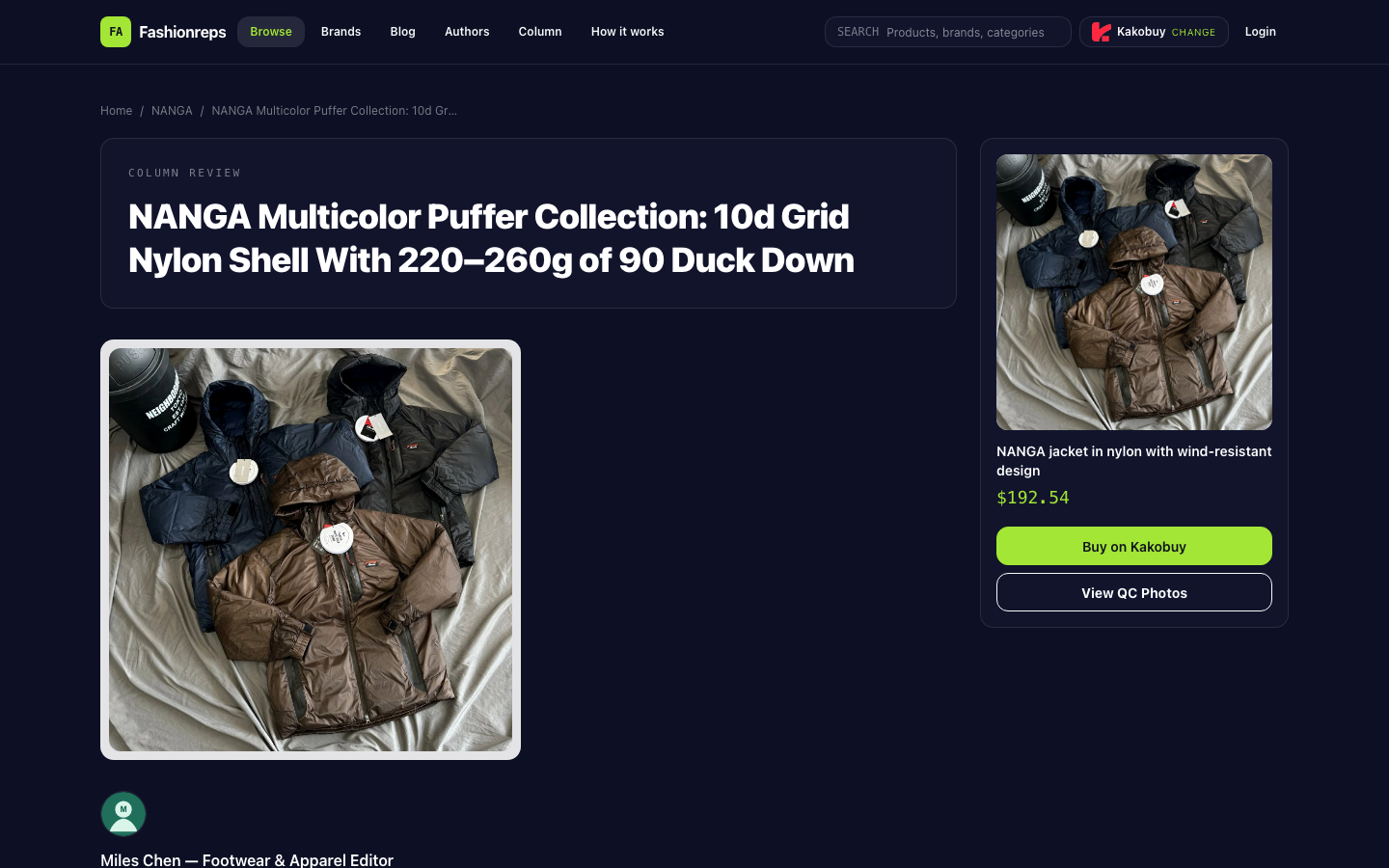
A currently verifiable NANGA detail page is the "Multicolor Puffer Collection" down jacket page. It lists S–3XL, chest circumference, front length, raglan sleeve length, and weight range, but these data cannot be applied to knitwear. The page also clearly notes that the production location and fill weight for each size are not fully explained. Therefore, it can serve as an example for recording fields, but not as size evidence for nanga knitwear.

The image shows an example of a site catalog detail page; it is not physical evidence of nanga knitwear or proof of knitwear sizing.
Step 1: Confirm Candidate Identity in the Site Catalog
After entering fashion-reps' brand or search entry, first record the style name displayed on the page, then judge whether it belongs to knitwear. Do not classify a page as a knitwear candidate just because "nanga" appears in the title, and do not mix jackets, down jackets, hoodies, or other tops into the same batch.
For each candidate, keep at least the following page facts:
- Full style name displayed on the page
- Color or colorway displayed on the page
- Size options listed on the page
- Whether the detail page images can confirm the garment category
- Detail page URL
- Query date and time
- Whether the page provides a size chart, flat measurements, or weight recommendations
The presence of size options on the page does not mean complete body measurement evidence exists. Size dropdown options can only be recorded as "page selectable sizes" and cannot be automatically rewritten as chest, length, or sleeve measurements.
Step 2: Divide Size Evidence into Three Levels
To avoid choosing the wrong size when page information is incomplete, you can split evidence into three levels: page facts, pending confirmation data, and stop-use signals.
| Status | What can be recorded | Current handling |
|---|---|---|
| Complete fields | Sizes, flat measurements, units, and corresponding sizes explicitly listed on the page | Can enter candidate screening, but still need to verify units and style |
| Needs verification | Only size options, missing chest, length, shoulder width, or sleeve length | Ask the shopping agent to confirm flat measurements before judging |
| Stop use | Unclear page identity, broken link, image-title mismatch, or key data unconfirmable | Not recommended as purchasable, and do not fill in speculative values |
For knitwear, prioritize confirming chest, length, shoulder width, and sleeve length. If the page only provides options like S, M, L without any measurement chart, do not infer from down jackets, hoodies, or other styles of the same brand.
Step 3: Set Up an Evidence Ledger in Google Sheets
It is recommended to put only one style and one page per row; do not mix multiple colors of the same style or different pages in one row. This way, when reviewing later, you can see which page the size information actually came from.
You can use the following fields:
- Brand
- Style name
- Category judgment
- Color
- Page size options
- Chest flat measurement
- Length flat measurement
- Shoulder width flat measurement
- Sleeve length flat measurement
- Unit
- Page image link or page record
- Product detail page
- Query time
- Questions to confirm with Agent
- Evidence status
- Final review result
For "Category judgment," it is recommended to use three values: "Knitwear," "Non-knitwear," "Unable to confirm." For "Evidence status," use three values: "Complete fields," "Needs verification," "Stop use." This way, you can quickly filter out pages that do not belong to knitwear and also view candidates that have not yet completed size information separately.
Step 4: Only Send Questions the Page Hasn't Answered to the Agent
When asking the shopping agent, directly quote the style and size, and avoid asking only "How is the sizing of this item?" A more effective way is to request confirmation of:
- Whether the garment category corresponding to the page is knitwear
- What are the chest, length, shoulder width, and sleeve length for the specified size
- What is the measurement unit
- Whether the data is body measurements or garment flat measurements
- Whether different colors correspond to the same style and size chart
- Whether the page images, size chart, and actual product are consistent
If the agent cannot provide flat measurements, keep "Pending confirmation" in the table. Do not substitute with model height, common sizes, or other nanga styles. The currently verifiable NANGA down jacket page also shows that some information can only be obtained as a range, not detailed data for each size; this is exactly the situation where gaps need to be preserved.
Step 5: Use Filtering Results to Decide Next Steps
When the table has multiple candidates, process them in the following order:
- First filter "Category judgment = Knitwear" to exclude pages with mismatched categories.
- Then filter "Evidence status = Complete fields" to view candidates that can be directly compared.
- Separately view "Evidence status = Needs verification" and organize questions to send to the Agent.
- Keep reasons for "Stop use" records, but do not include them in the purchase list.
- After receiving supplement measurements, record the source, query time, and corresponding size. Do not overwrite the original page facts.
The site catalog is suitable for viewing brand categories, style images, detail pages, and page links; Google Sheets is suitable for uniformly arranging, filtering, and collaboratively reviewing multiple candidates' fields. The two cannot replace each other: each piece of data in the table still needs to be verified against the corresponding detail page or Agent reply.
When to Stop Citing a Candidate
Mark a record as "Stop use" if any of the following occurs:
- The page cannot be confirmed as knitwear
- The title, images, and detail content clearly correspond to different categories
- Key pages are invalid and cannot be rechecked
- Only size letters are available, with no verifiable measurement basis, and your screening task must rely on flat measurements
- The material, inventory, price, shipping, or features you need to cite lack reliable page evidence
- The Agent cannot confirm the correspondence between the product page and the actual candidate
Stopping use does not mean the product is definitely problematic; it only means the current evidence is insufficient to support your screening conclusion. Keep the reason for stopping. If new evidence is provided later by the page or Agent, re-review.
Actual Sequence of Operations
First confirm the page identity and style category on fashion-reps, then write the page facts into Google Sheets; then organize the missing flat measurements into clear questions and send them to the Agent for verification. Candidates with complete fields enter size comparison, those with incomplete information remain "Needs verification," and those whose identity or source cannot be confirmed are directly stopped from citation.
The key of this recording approach is not to fill the table as much as possible, but to ensure that every size judgment can be traced back to a specific page or explicit reply.
Nadia Vermeer is Editor-in-Chief at Kakobuytop, running the testing desk, writing agent workflow guides and signing off every score. Nadia personally opens roughly half the parcels that reach the desk, while running its seven-step sequence and maintaining each parcel's master file. Order timestamps, agent replies, QC images, line choice, tracking logs, delivered weight and the score sheet form that record. Every received item is compared with full-size warehouse QC photos before scoring; listing photographs alone do not qualify a product for a score, and articles are held until the parcel arrives.